Your first fifteen minutes at Slotorado

Minutes one to five: the form
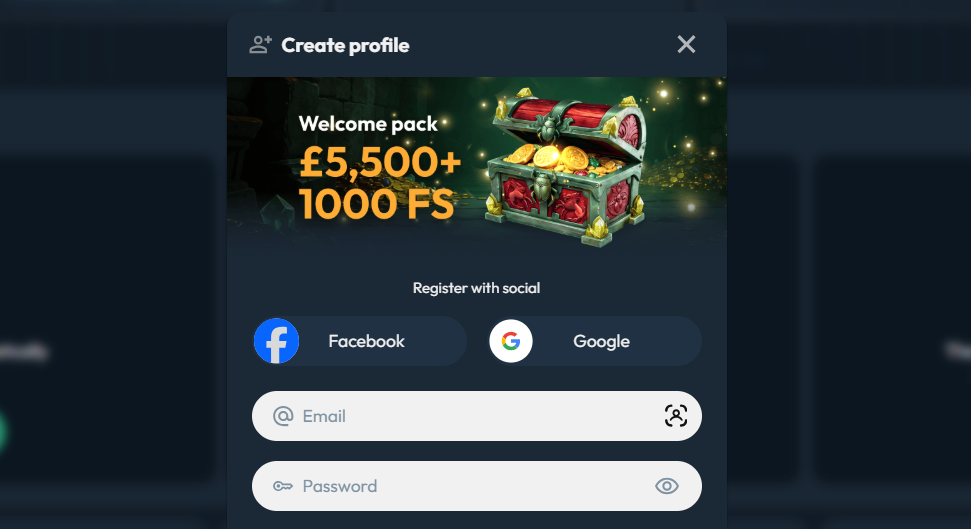
The Slotorado sign up form asks for six pieces of information. Enter each exactly as it appears on your government-issued documents — the name, date of birth, and address fields are cross-checked against your KYC documents later, and any mismatch creates a delay.
- Email address. This becomes your account login and receives all operator communications. Use an inbox you access regularly.
- Password. The form shows the minimum requirements as you type. Meet them, but do not reuse a password from another platform.
- Date of birth. Enter the date exactly as it appears on your identity document. A one-digit discrepancy between the form and the document is the most common cause of identity verification failure.
- Full legal name. Use the name on your passport or ID card — no abbreviations and no middle-name omissions unless the document itself omits them.
- Residential address. Enter your current address. It must match the address on the proof-of-address document you upload in step three.
- Phone number. Required at registration. Used for security alerts.
Minutes five to ten: confirming your email

Minutes ten to fifteen: uploading documents
Once the account is open, navigate to the account panel and locate the verification section. Upload one identity document and one proof of address document. Both can be submitted in the same session.
| Document | What It Confirms | Accepted Format |
|---|---|---|
| Passport | Identity + date of birth | Photo or scan, full data page visible |
| National identity card | Identity + date of birth | Photo or scan, both sides |
| Driving licence | Identity + date of birth | Photo or scan, both sides |
| Utility bill | Residential address | PDF or clear image, ≤3 months old |
| Bank statement | Residential address | PDF or clear image, ≤3 months old |
| Rental agreement | Residential address | Signed document, active tenancy |
Take or scan the document in good lighting with all four corners of the page visible. The single most common KYC queue reason for rejection is a photo where part of the document is cut off or the text is unreadable due to glare.
After the fifteen minutes: waiting on review
The KYC queue processes submitted documents in the order they arrive. Typical turnaround is 24 to 48 hours after submission.
| Stage | Typical Time Frame |
|---|---|
| Email confirmation clicked | Immediate |
| Document upload | Player-controlled — no deadline at registration |
| KYC review completed | 24–48 hours after upload |
| Account cleared for withdrawals | Immediately after KYC approval |
During the review window, the account activation is open for browsing, depositing, and play. Withdrawals are held until KYC clears. Uploading both document types in a single session — identity and address together — avoids the back-and-forth that extends the total review time when documents arrive separately.
Deciding about the welcome offer at sign-up
Where new accounts get stuck
| Problem | Solution |
|---|---|
| Confirmation email not received | Check spam; request a new link from the login screen |
| Activation link expired | Request a fresh link from the login page |
| Document rejected — image quality | Resubmit with all four corners fully visible and no glare |
| Name mismatch — form vs document | Contact support to correct the registered name |
| Address mismatch — form vs proof document | Upload proof of address showing the address entered at registration |
| Country blocked at registration | Check the accepted territory list in the operator’s terms |
Sign-up situations players run into
No. The minimum age is 18. Age is verified against government-issued documents; there is no parental consent option, no reduced-access tier, and no jurisdiction-based exception.
Open the verification section and resubmit. The rejection message identifies the reason — typically image quality, an expired document, or a name mismatch. Fix that specific issue and resubmit immediately.
One account per person, not per household. Two people at the same address can each hold an account, provided they registered with their own separate identity documents and payment methods.
Contact support or use the self-exclusion tools on the responsible gambling page.